
App catalog
Install office apps, PDF tools, and scan utilities from one queue.
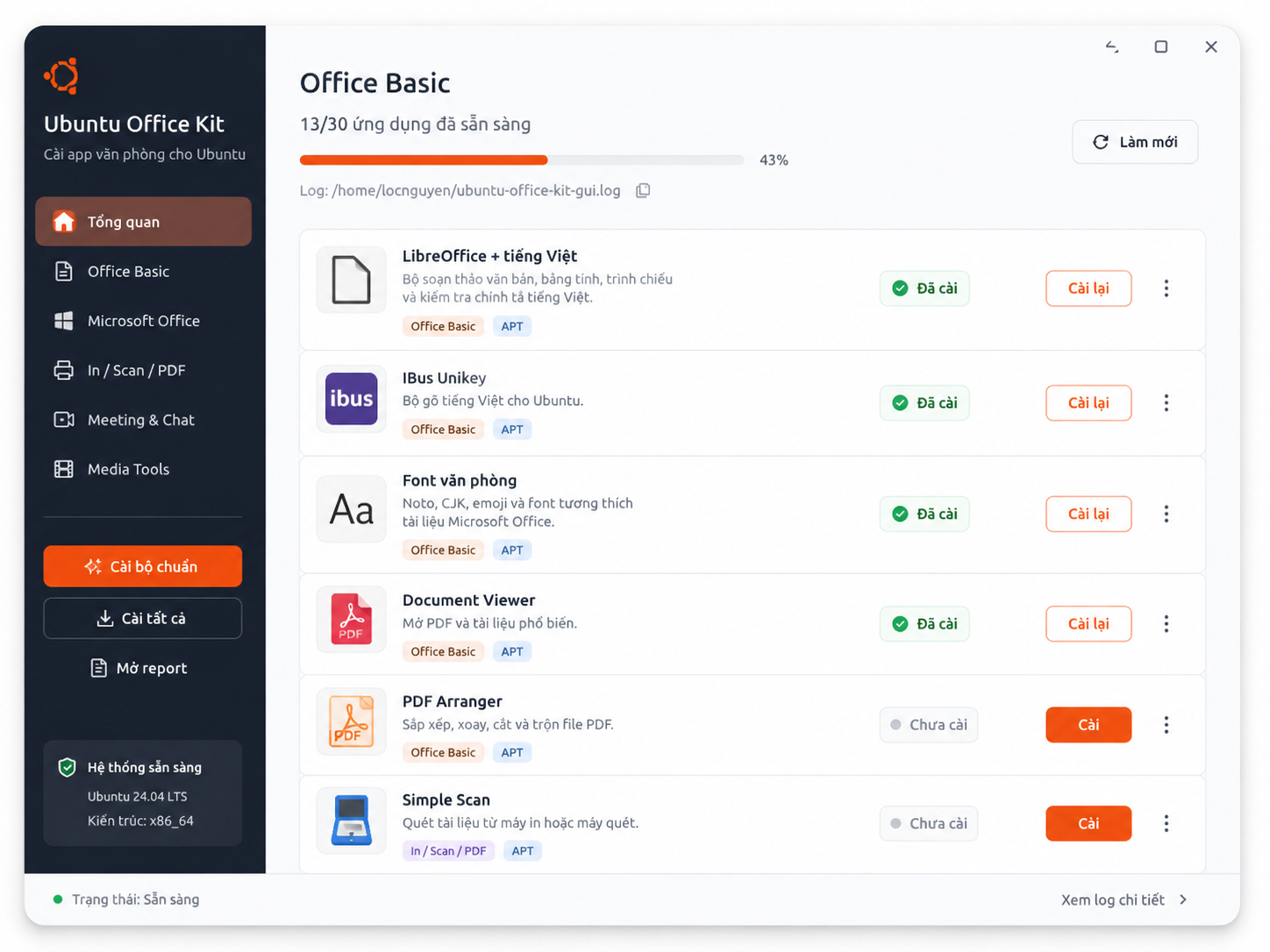
Sysora groups office apps, fonts, input tools, PDF tools, scan apps, printers, and meeting apps into one reviewable queue.
Sysora Ubuntu Office Kit
Ubuntu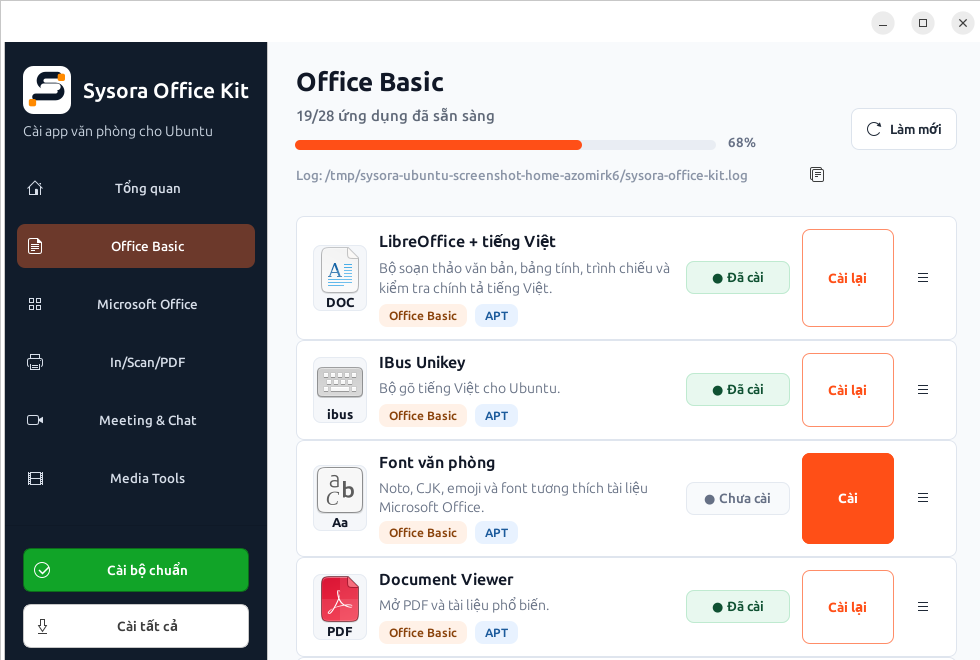
Ubuntu .deb and notarized macOS are ready; Windows 0.7.0 x64/ARM64 builds passed compile and ARM64 runtime QA, with Store signing still pending.
Every new computer needs the same downloads, checks, and restarts.
Office documents look wrong when language packs or fonts are missing.
Clients and managers need to know what was installed and what still needs work.
The same setup checklist is rebuilt by hand on each device.
It is hard to see which computers are ready for work.
Sysora groups app presets, catalogs, install checks, licensing, and reports into one cross-platform workflow; Windows is at release-candidate stage.
Ubuntu/Linux and macOS are released; native Windows is a release candidate. Five-plan licensing, technician sessions, Repair Shop workspace, Business enrollment, and policies are implemented.
Available .deb build for Ubuntu-compatible desktops: Vietnamese input, LibreOffice, fonts, PDF tools, print/scan, browsers, meeting apps, licensing, and local reports.
Part of the current app: system checks, package catalog, install status, Office Basic/Microsoft/Print-Scan-PDF presets, logs, and reports.
Native macOS artifact is available: SwiftUI/AppKit UI, system checks, app catalog, license/cloud, local reports, direct installers, and Homebrew fallback.
Not a separate product today; these are Office Kit modules for PDF tools, printers, scanners, archive tools, and device notes.
Technician Solo includes batch setup, 24-hour client sessions, cloud reports, and 90-day history. Repair Shop adds shared profiles, branding, and 365-day history.
Business includes per-device checkout, organizations, members, enrollment, policies, and central reports, starting at 5 devices.
Product preview
Switch each preview between Ubuntu and Mac to see how Sysora presents the same office setup, PDF tools, and report workflow on each platform.
App catalog
Sysora groups office apps, fonts, input tools, PDF tools, scan apps, printers, and meeting apps into one reviewable queue.
System checks
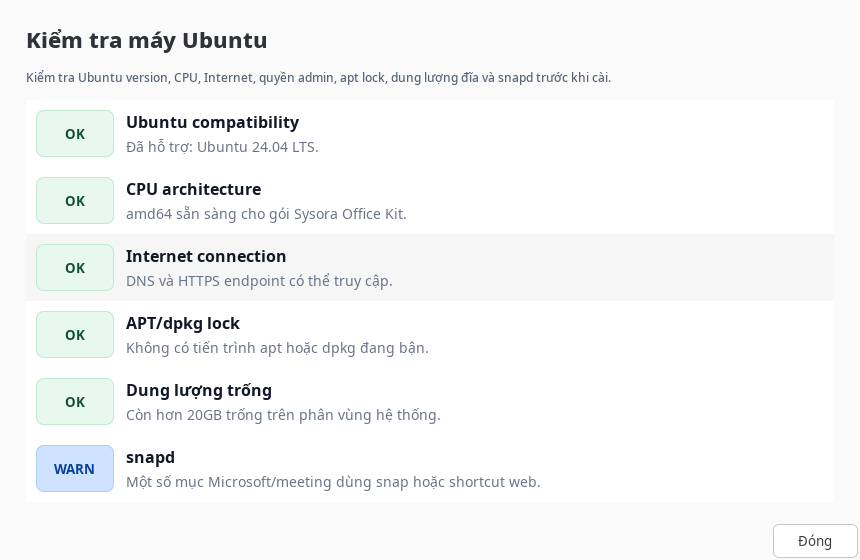
Sysora checks OS compatibility, CPU architecture, network, disk space, package manager readiness, and setup prerequisites before the work starts.
License and reports
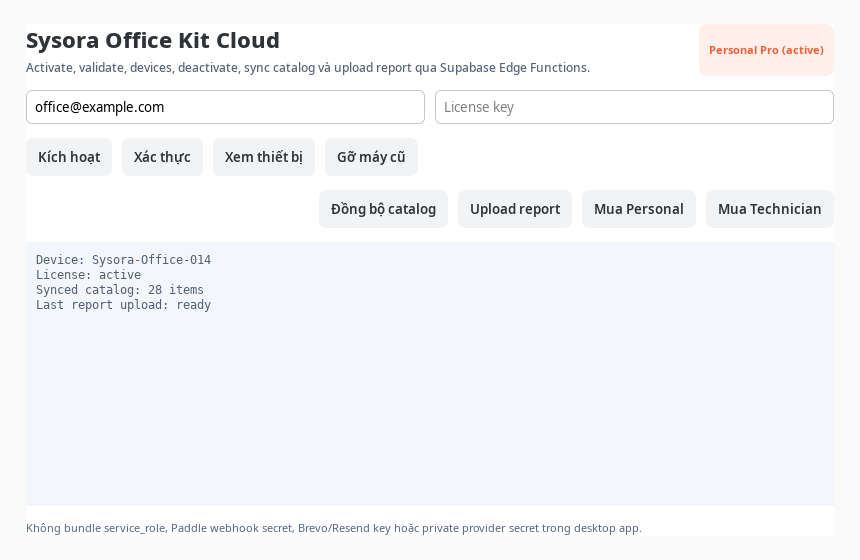
The desktop app keeps paid features, device records, catalog sync, and report upload in the same operational flow.
Give users, clients, or managers a polished record of installed apps, PDF tools, scan/print checks, and every completed setup.
Ubuntu 24.04 LTS
Sysora does not sell free open-source apps. Plans cover batch automation, reports, catalog updates, technician workflows, business management, and support.
For local setup on any number of computers. Reports require a paid plan.
$0
For one person maintaining their own computer.
$19 one-time
For one technician; completed client sessions are unlimited.
$99/year
For a small shop working together under one workspace.
$249/year
For organizations, starting at 5 managed devices.
$5/device/month
or $49/device/year
Sysora has a free plan for system scans, one-by-one app installs, and basic logs. Paid plans add batch automation, cloud reports, technician sessions, and team workflows.
No. Sysora charges for the setup workflow around those apps: batch automation, reports, catalog updates, technician tools, business management, and support.
Free is local-only. Personal covers one workstation for $19 once. Technician Solo and Repair Shop are billed by technician/workspace with unlimited completed client sessions. Business is billed per active managed device from 5 devices.
The Ubuntu kit is designed to work locally when possible. Some installs and catalog updates still need internet access.
No. Ubuntu Office Kit is the first product because Ubuntu office setup is a clear need. Sysora is planned as a wider tool family for Linux, office, technician, and business setup work.
A technician starts a 24-hour client session, runs setup, uploads the report, and ends the session with a history entry.
Business management is planned for central rules, reports, and support. Local setup workflows will still stay important.